
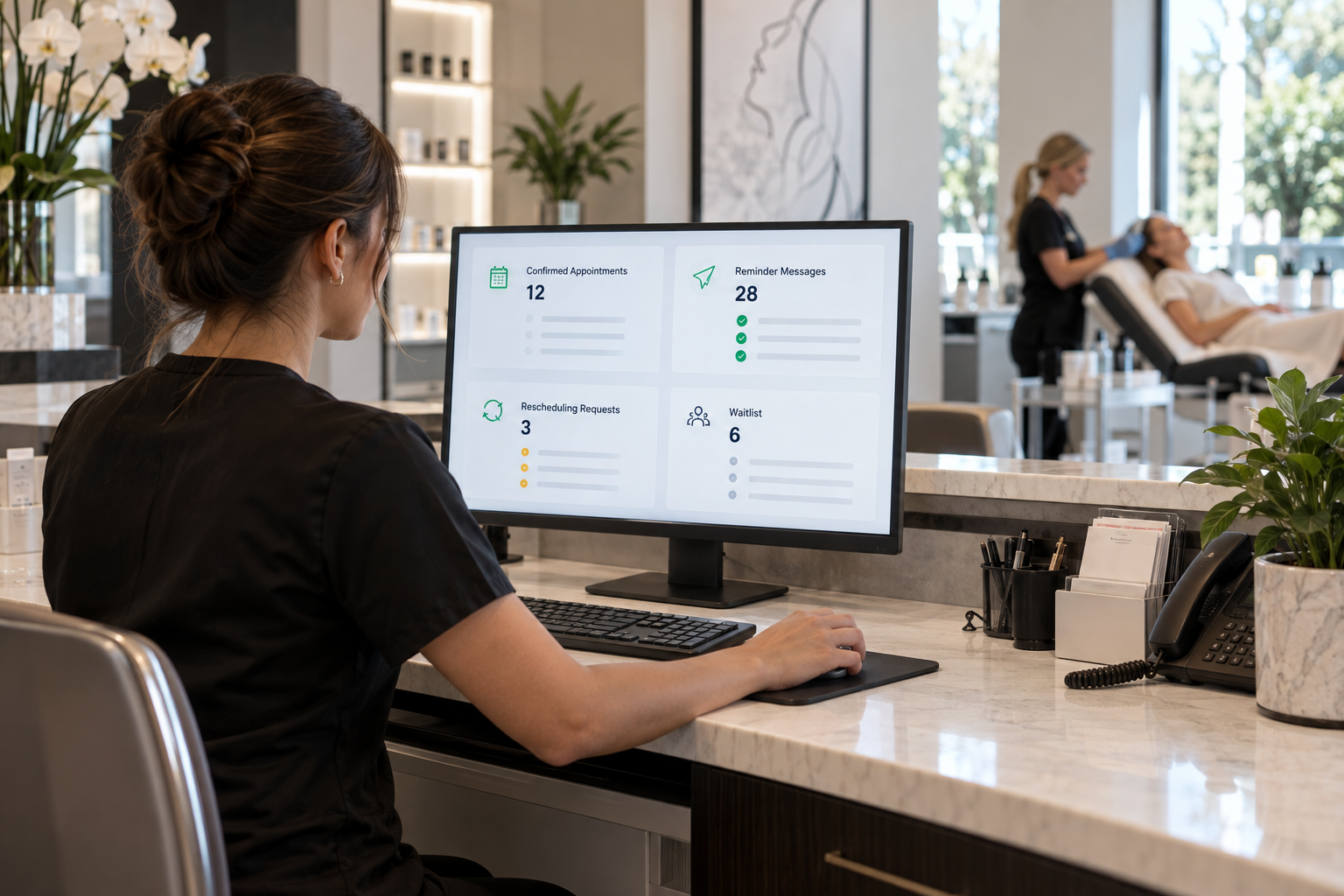
Every missed consultation or treatment appointment creates more than an empty slot. Your front desk loses time following up, providers face gaps in their schedules, and prospective patients may quietly choose another practice. Med spa no show automation helps prevent those losses by sending timely reminders, collecting confirmations, simplifying cancellations, and rebooking patients who do not arrive.
The goal is not to overwhelm patients with messages. It is to create a coordinated appointment workflow that makes the next step easy while giving your team clear, real-time information.
Why Med Spa No-Show Automation Matters
Med spa appointments often require more commitment than a routine retail visit. A patient may need to complete intake forms, follow pre-treatment instructions, arrange financing, avoid certain products, or set aside recovery time. If those details are buried in an old email, uncertainty can lead to delays or cancellations.
A structured Medspa automation system can connect lead follow-up, booking, reminders, confirmations, intake, and rebooking. Instead of relying on employees to remember every touchpoint, the system advances each patient according to appointment status and behavior.
This gives the front desk more time for conversations that need a human touch, such as treatment questions, anxious first-time patients, package options, and schedule exceptions.
What an Effective Med Spa No-Show Automation Workflow Includes
The best workflow begins when an appointment is booked and continues until the patient attends, cancels, or reschedules. It should use status changes inside the CRM or scheduling platform rather than sending every patient the same generic sequence.
1. Immediate Booking Confirmation
Send an immediate text or email confirming the appointment date, time, location, provider, and service category. Include a clear way to confirm or request a change. For consultations, explain what the patient should expect and whether forms, photos, identification, or a deposit are required.
This message should reduce uncertainty without including unnecessary sensitive information. If your practice has specific privacy, consent, or communication requirements, have the workflow reviewed by qualified compliance or legal professionals.
2. Pre-Appointment Preparation
Preparation messages should be based on the appointment type. Consultation reminders might include an intake-form link and a request to arrive with a list of goals or questions. A treatment appointment may require approved pre-care instructions from the clinical team.
Do not place every instruction in a long text message. Use a concise message that directs the patient to the appropriate secure resource. Your team should review all clinical language before it enters an automated sequence.
3. Timed Reminders and Confirmation Requests
Med spa appointment reminders typically work best as a short sequence rather than a single last-minute alert. For example, a practice could send an email several days before the visit, a text reminder closer to the appointment, and a final short confirmation on the day before.
The exact timing should reflect your cancellation policy, treatment type, and ability to refill an opening. A high-value procedure may need an earlier confirmation window than a brief follow-up visit. Once a patient confirms, the system should update the appointment and stop sending confirmation requests.
4. Cancellation and Rescheduling Paths
Patients should not have to call repeatedly just to release an appointment. Give them a simple way to request cancellation or rescheduling, while clearly stating any applicable practice policy.
When a patient asks to reschedule, create a task, present approved booking options, or route the conversation to the front desk. The workflow should also alert the team quickly enough to offer the newly available slot to an appropriate waitlist.
5. No-Show Follow-Up
If the appointment status changes to no-show, pause all messages that assume the patient attended. Send a courteous follow-up that acknowledges the missed visit and offers a practical way to rebook. The tone should be helpful, not accusatory.
Patients miss appointments for many reasons. A respectful message preserves the relationship while still reinforcing the practice’s scheduling policy.
Use Multiple Channels Without Creating Message Fatigue
Text messages are useful for concise reminders and confirmations, while email is better suited to longer preparation details. Phone calls may be appropriate for unanswered high-value consultations, complex scheduling, or patients who prefer voice communication.
If missed calls are also contributing to booking gaps, an AI voice agent for appointment handling can answer common scheduling calls, capture patient information, and route requests based on your rules. It should complement your staff rather than attempt to answer clinical questions outside its approved scope.
Respect communication preferences, maintain accurate consent records, and provide required opt-out options. Automation should make communication more convenient, not remove patient choice.
How Med Spa Rebooking Automation Recovers Opportunities
Rebooking should not be limited to patients who explicitly cancel. It can also address unconfirmed appointments, abandoned consultation requests, no-shows, and patients who were told to return after a recommended interval.
A useful med spa rebooking automation sequence might:
- Send a rescheduling link or invite the patient to reply.
- Create a front-desk task if there is no response.
- Offer suitable openings without disclosing other patient information.
- Stop immediately when the patient books or declines.
- Move inactive contacts into an appropriate long-term nurture workflow.
Avoid endless reminders. Set clear limits on message frequency and define when a team member should personally follow up.
Practical Workflow Example
Suppose a prospective patient books a cosmetic injectable consultation for Thursday afternoon. The system immediately confirms the details and sends an intake link. On Monday, the patient receives a preparation email. On Wednesday, a text asks for confirmation.
If the patient confirms, the appointment is marked accordingly and no further confirmation request is sent. If the patient requests a new time, the front desk receives a task and the Thursday opening enters the waitlist workflow. If the patient does not arrive, a polite rebooking message is sent after the appointment status is updated.
This is where done-for-you AI marketing automation can be valuable: the reminders, pipeline stages, staff alerts, and follow-up paths are designed as one connected system instead of separate tools.
Common Automation Mistakes to Avoid
- Sending duplicate reminders: When scheduling software and a CRM both send messages, patients may receive overlapping alerts. Map every active communication before launching a new workflow.
- Ignoring appointment status: Confirmed, canceled, completed, and no-show appointments require different follow-up paths. Automations must stop when their purpose is no longer relevant.
- Using one sequence for every service: A consultation, laser appointment, injectable treatment, and post-procedure check may need different timing and preparation.
- Making rescheduling difficult: A reminder without a clear response option can turn a manageable cancellation into a no-show.
- Automating clinical advice: Use content approved by your clinical team and escalate treatment-specific questions to qualified staff.
- Forgetting human escalation: Frustrated, anxious, confused, or high-intent patients should be able to reach a person.
How to Implement the System
- Audit the current patient journey. Document what happens after a web form, phone call, social media inquiry, booking, cancellation, and missed appointment.
- Standardize appointment statuses. Define statuses such as booked, unconfirmed, confirmed, reschedule requested, canceled, completed, and no-show.
- Segment by visit type. Separate consultations, treatments, follow-ups, and recurring maintenance appointments.
- Write concise messages. Each message should have one primary action, such as confirm, complete a form, call the office, or choose a new time.
- Build stop conditions. A reply, confirmation, cancellation, opt-out, or completed booking should remove the patient from irrelevant steps.
- Add staff notifications. Decide which responses need immediate attention and which can remain automated.
- Test every branch. Use test contacts to check links, timing, time zones, replies, status updates, and duplicate-message risks.
- Review performance regularly. Refine timing and copy based on actual patient behavior and staff feedback.
Measuring Med Spa No-Show Reduction
Track more than the raw number of no-shows. Useful measures include confirmation rate, cancellation lead time, percentage of canceled slots refilled, rebooking rate, appointment attendance by service type, and staff follow-up volume.
Compare results over consistent time periods and account for seasonal demand, provider changes, promotions, and schedule capacity. The objective is a healthier appointment pipeline and a better patient experience—not simply sending more messages.
Frequently Asked Questions
How many appointment reminders should a med spa send?
There is no universal number. Use enough reminders to help patients prepare and respond, but avoid repetitive messaging. Timing should reflect the appointment type, cancellation policy, and patient preferences.
Can automation handle cancellations automatically?
It can collect cancellation or rescheduling requests, update statuses, notify staff, and trigger waitlist outreach. Complex situations or policy disputes should be escalated to an employee.
Should consultation reminders be different from treatment reminders?
Yes. A consultation usually emphasizes intake, goals, and attendance, while a treatment reminder may require clinically approved preparation instructions.
Does no-show automation replace the front desk?
No. It removes repetitive tasks and organizes follow-up so staff can focus on patient questions, scheduling exceptions, and relationship-building.
Build a More Reliable Appointment Pipeline
Med spa no show automation works best when confirmations, reminders, cancellations, staff tasks, and rebooking all share the same appointment data. Begin with a clear workflow, tailor it to each visit type, and retain human oversight for clinical or sensitive conversations. The result is a more responsive scheduling process that is easier for both patients and staff to navigate.
Leave a Reply