
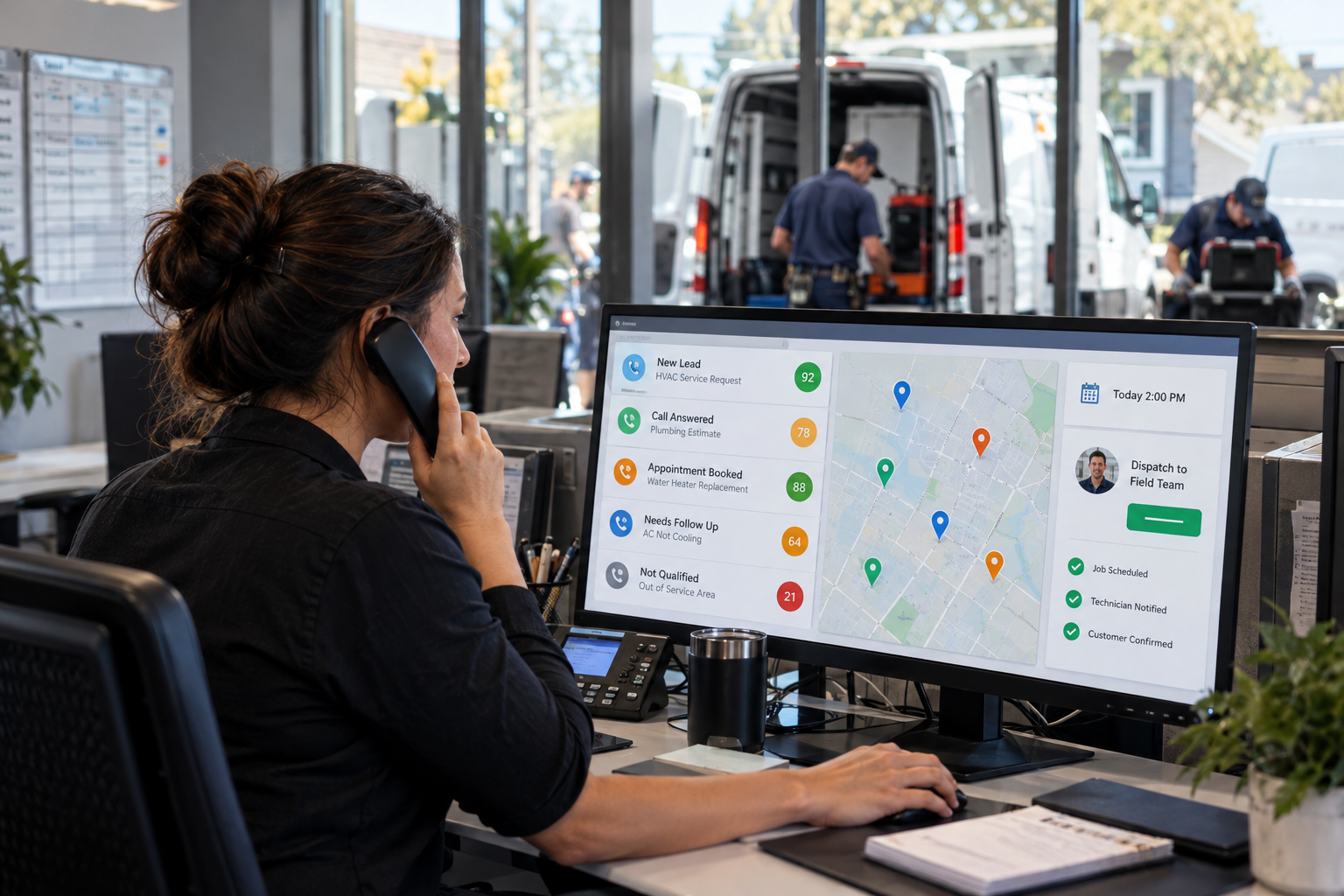
Home service companies often lose opportunities for a simple reason: the right person does not respond quickly enough. Calls go unanswered while technicians are in the field, web forms sit in an inbox, and office staff spend time chasing requests that are outside the service area or unrelated to the company’s work.
Lead qualification automation for home services solves this problem by collecting the right information, evaluating each opportunity, and sending it to the appropriate next step. The goal is not to remove people from the sales process. It is to help your team focus on qualified homeowners while every new inquiry receives a consistent response.
What Is Lead Qualification Automation for Home Services?
Lead qualification automation is a structured process for determining whether an inquiry is a good fit before a team member invests significant time in it. It can work across phone calls, website forms, chat, text messages, paid advertising leads, and referral sources.
A well-designed system may identify the requested service, ZIP code, urgency, property type, availability, and other business-specific requirements. It then updates the customer record, applies a score or status, and triggers the correct follow-up. This is one practical application of an AI business automation system built around the way a service company actually operates.
For example, an HVAC company can prioritize a homeowner reporting a failed air conditioner during hot weather while sending a routine maintenance request into a standard scheduling sequence. A roofer can separate storm-damage inspections from small repair requests, and a plumber can distinguish an active water leak from a future remodeling project.
How an AI Qualification Workflow Operates
An effective AI qualification workflow should be easy for customers to navigate and easy for employees to understand. Most home service workflows include five connected stages.
1. Capture the inquiry immediately
The system creates or updates a CRM contact when someone calls, submits a form, starts a chat, or responds to an ad. Source tracking should also be captured so the company can see whether the lead originated from Google Ads, organic search, a referral, social media, or another campaign.
Phone inquiries require special attention because homeowners may call several providers in a short period. An AI voice agent can handle missed or after-hours calls, ask approved qualification questions, and help move appropriate callers toward booking without requiring technicians to interrupt active jobs.
2. Ask service-specific questions
Generic questions rarely provide enough information for reliable contractor lead qualification. Questions should reflect the company’s real scheduling and dispatch decisions. A plumbing workflow might ask where the issue is located and whether the water has been shut off. An electrical workflow could ask whether there are sparks, smoke, a burning smell, or a full-property power loss.
The workflow should not attempt to diagnose dangerous conditions. It should recognize emergency language, provide approved safety instructions where appropriate, and escalate the conversation to a person or emergency service according to company policy.
3. Score and categorize the lead
Home service lead scoring assigns value based on factors that matter to the business. These may include:
- Whether the property is inside the service area
- Whether the company offers the requested service
- The urgency and potential job type
- Residential or commercial property status
- Decision-maker involvement
- Preferred appointment timing
- Lead source and previous customer history
The score does not need to be complicated. Many companies can begin with categories such as urgent, qualified, needs review, nurture, and not a fit. Clear categories are usually more useful than an elaborate scoring model employees do not trust.
4. Route the opportunity
Service business lead routing determines what happens after qualification. An urgent in-area request might alert the dispatcher and create a priority task. A standard estimate request could enter a booking workflow. A commercial project might go directly to an estimator, while an out-of-area inquiry could receive a courteous message explaining that the location is not currently served.
Routing rules can also account for branch location, technician specialty, business hours, service capacity, and existing customer status. The important point is that every category has a defined next step.
5. Continue follow-up until there is an outcome
Qualified leads do not always schedule during the first conversation. Automated text and email follow-up can remind prospects to choose an appointment, provide preparation instructions, or invite them to continue a paused conversation. When someone books, declines, or requests no further contact, the workflow should stop or change automatically.
Practical Qualification Examples by Trade
Different trades require different logic. A reusable platform is valuable, but the questions and routing rules should be customized.
- HVAC: Identify cooling, heating, indoor air quality, maintenance, or replacement needs. Prioritize system failures and capture equipment type when useful.
- Plumbing: Separate active leaks, clogged drains, water heater issues, fixture installations, and remodeling work. Escalate safety-sensitive situations.
- Electrical: Categorize outages, panel work, EV charger installations, lighting projects, and potential electrical hazards.
- Roofing: Ask about property location, roof type, visible damage, insurance involvement, and whether the request is for repair, inspection, or replacement.
- General home services: Confirm job type, ZIP code, ownership or authorization, desired timing, and whether photos would help the team review the request.
These workflows can also identify cross-sell opportunities without forcing them. For example, an existing HVAC customer requesting a repair may be eligible for a maintenance-plan conversation after the immediate issue is addressed.
How to Implement Lead Qualification Automation
Successful automation begins with operations, not software. Use the following process to build a system employees will adopt.
- Review recent inquiries. Look at qualified jobs, poor-fit leads, missed calls, canceled appointments, and requests that took too long to reach the correct employee.
- Define a qualified lead. Document service area, offered services, minimum job requirements, emergency policies, ideal project types, and disqualifying conditions.
- Map every destination. Decide who handles urgent jobs, estimates, commercial inquiries, existing customers, financing questions, and leads that need manual review.
- Write short qualification conversations. Ask only questions needed to choose the next action. Long interrogations can reduce completion rates.
- Connect the CRM and calendar. Contact data, conversation history, tags, appointments, and assigned owners should remain synchronized.
- Test realistic scenarios. Include repeat customers, renters, out-of-area properties, after-hours emergencies, duplicate leads, unclear requests, and callers who want a person.
- Review results regularly. Compare workflow categories with actual booked jobs and employee feedback, then refine the rules.
Companies that want the qualification process connected to nurturing, CRM updates, appointment reminders, and campaign tracking can use a broader done-for-you AI marketing automation approach instead of assembling disconnected tools.
Common Automation Mistakes to Avoid
The most common mistake is automating an undefined sales process. If employees disagree about what qualifies as an urgent or valuable lead, software will only apply that confusion faster.
Other issues include asking too many questions, failing to offer human escalation, sending duplicate messages, and routing every lead to the same inbox. Companies should also avoid allowing AI to make unsupported promises about pricing, arrival times, warranties, or technical outcomes.
Consent and communication preferences matter as well. Automated calls and texts should follow applicable federal and state requirements. The Federal Communications Commission’s guidance on telemarketing and robocalls is a credible starting point, but businesses should obtain legal guidance for their specific practices.
Measuring the Business Impact
Evaluate automation using operational metrics rather than vanity metrics. Useful measures include lead response time, percentage of inquiries successfully categorized, qualified-to-booked rate, missed-call recovery, appointment completion, routing errors, and staff time spent on manual data entry.
Also review outcomes by source and job type. A campaign generating many leads may be less valuable if most requests fall outside the service area. Better qualification data helps advertising and operations teams focus on sources that produce serviceable opportunities.
Build a Qualification System Around Your Business
Lead qualification should reflect your trade, territory, staffing model, and customer experience. The best system responds promptly, asks relevant questions, protects access to human help, and gives employees enough context to continue the conversation.
The Digital Success builds connected AI automation, CRM, lead routing, and follow-up systems for home service companies. A tailored workflow can help your office and field teams respond consistently without forcing your business into a generic script.
Frequently Asked Questions
Can automation qualify leads from both calls and web forms?
Yes. Calls, forms, chats, text messages, and advertising leads can feed the same CRM process, although each channel may use a different conversation format.
Will lead automation replace office staff?
It is generally most useful as support for office staff. Automation handles repetitive intake, updates records, and routes inquiries while employees manage exceptions, sensitive conversations, and valuable sales opportunities.
How complicated should home service lead scoring be?
Start with a few clear categories tied to specific actions. Add more detailed scoring only when the team has enough data and a genuine operational reason to use it.
Can an automated system handle emergency requests?
It can detect emergency language and trigger an approved escalation path. It should not provide unapproved technical diagnoses or replace emergency services when there is an immediate safety risk.
Leave a Reply