
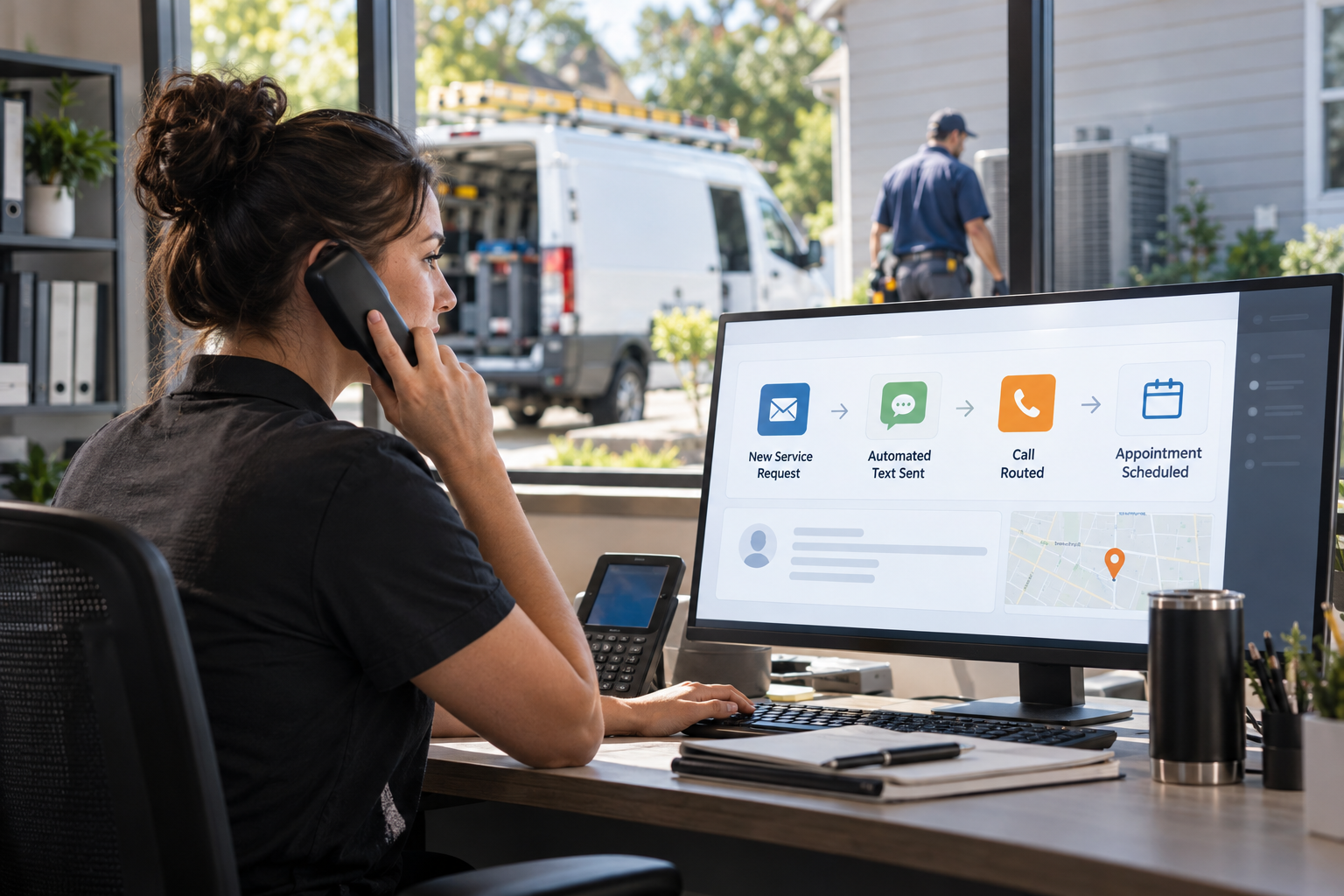
When an air conditioner fails during a hot afternoon or a furnace stops working overnight, homeowners rarely submit one request and wait patiently. They call, search, and contact multiple HVAC companies until someone responds. HVAC speed to lead automation helps your business acknowledge the request immediately, collect the right information, and move the customer toward a booked appointment without depending on an employee being available at that exact moment.
The goal is not to replace personal service. It is to eliminate the delays, missed calls, and manual follow-up gaps that cause otherwise valuable HVAC leads to go elsewhere.
What Is HVAC Speed-to-Lead Automation?
HVAC speed-to-lead automation is a connected workflow that begins as soon as a prospective customer calls, submits a form, starts a chat, or responds to an advertisement. The system can send an immediate acknowledgment, notify the appropriate team member, gather service details, create or update a CRM record, and initiate scheduling or follow-up.
Unlike a basic website autoresponder, a complete workflow accounts for the urgency and complexity of HVAC requests. It can distinguish an emergency no-cooling call from a maintenance estimate, route commercial inquiries separately, and keep following up when a lead does not book immediately.
For contractors evaluating marketing automation and CRM growth systems, response speed should be considered alongside lead tracking, scheduling, sales visibility, and long-term customer communication.
Why HVAC Lead Response Time Matters
HVAC demand is often immediate and highly competitive. A homeowner with water around an air handler or an elderly family member in a home without heat is motivated to speak with someone now. Even less urgent prospects, such as homeowners requesting replacement quotes, may contact several companies before choosing whom to invite into the home.
A slow HVAC lead response time creates several problems:
- The prospect may assume the company is unavailable or poorly organized.
- Office staff must revisit old submissions and determine who has already responded.
- Technicians or comfort advisors receive incomplete information.
- Paid advertising leads become harder to convert because interest cools quickly.
- Missed calls remain disconnected from the rest of the sales pipeline.
Fast follow-up does not require a rushed sales pitch. An immediate message confirming that the request was received can reduce uncertainty while the automation collects details or alerts a dispatcher. The customer knows what happens next, and the team gains a structured opportunity to respond.
A Practical HVAC Instant Follow-Up Workflow
An effective system should respond differently based on the lead source, service type, location, and urgency. A typical HVAC instant follow-up workflow may include the following steps.
1. Capture and identify the request
The workflow records the customer’s name, phone number, email address, ZIP code, lead source, requested service, and preferred appointment timing. Existing customers should be matched to their CRM records instead of creating duplicates.
2. Send an immediate acknowledgment
The customer receives a text or email confirming receipt. The message should identify the HVAC company, set a realistic expectation, and offer a clear next step. For example: “We received your no-cooling request. Reply with your ZIP code and whether the system is running, or use this link to request an appointment.”
3. Classify urgency and eligibility
Automation can ask whether the property has no heat, no cooling, leaking equipment, unusual odors, or electrical concerns. It can also verify that the address is inside the service area. Safety-related answers should trigger clear instructions and prompt escalation rather than generic troubleshooting.
4. Route the lead
Emergency service requests can alert dispatch, while replacement opportunities can be assigned to a comfort advisor. Commercial HVAC requests may go to a separate sales queue. Routing rules help prevent every inquiry from landing in one crowded inbox.
5. Schedule or continue follow-up
If calendar availability is connected, qualified customers can request an appropriate time. If they do not schedule, the system can send a limited follow-up sequence and create a task for staff. Communication should stop when the person books, opts out, or indicates that service is no longer needed.
Handling Phone Leads and Missed Calls
Web forms are only part of the problem. HVAC companies receive many high-intent leads by phone, including after-hours calls and calls made while office personnel are helping other customers. A missed-call text can acknowledge the caller, but it should not be the entire strategy.
For higher-volume operations, AI voice agents for HVAC lead response can answer common questions, collect caller information, identify the requested service, and support booking or call routing. The system should be configured with your actual service area, business hours, escalation rules, and appointment policies.
Human handoff remains important. A caller reporting a possible gas smell, electrical burning odor, or other safety concern should receive approved safety guidance and escalation. Automation must never improvise technical advice or represent that a diagnosis has been made before a qualified professional evaluates the equipment.
How Automation Supports HVAC Lead Conversion
Faster responses are useful, but HVAC lead conversion depends on the complete customer journey. A prospect can receive an instant text and still abandon the process if the message is confusing, the booking page is difficult to use, or nobody follows up on a high-value estimate.
A stronger system connects the first response with pipeline management. Each opportunity should have a visible stage, such as new request, contacted, scheduled, estimate pending, won, lost, or nurture. Managers can then review where leads stall and whether follow-up tasks are being completed.
Automation can also support common HVAC scenarios:
- Emergency repair: Confirm the request, gather essential details, and alert dispatch.
- System replacement: Collect property and equipment information, then assign a comfort advisor.
- Maintenance: Offer appropriate scheduling options and send reminders.
- Unsold estimate: Trigger a respectful follow-up sequence that answers questions and provides a path back to the advisor.
- Out-of-area lead: Notify the prospect promptly instead of leaving the request unanswered.
The result is a more consistent process, not a guarantee that every lead will become a customer. Pricing, availability, reputation, financing options, technician experience, and the customer’s needs still influence the final decision.
Common HVAC Service Request Automation Mistakes
The most common mistake is automating messages without designing the operational process behind them. If a customer is told that someone will call within a particular timeframe, the company must be able to meet that expectation.
Other problems include asking too many questions before offering help, sending the same sequence to emergency and replacement leads, failing to remove booked customers from reminders, and allowing multiple platforms to create duplicate contacts. Aggressive texting can also damage trust and create compliance concerns.
Businesses should document consent, provide appropriate opt-out options, and review current federal and state requirements before launching automated calls or texts. The Federal Communications Commission’s guidance on telemarketing and robocalls is a useful external resource to review with qualified legal counsel.
How to Implement HVAC Speed-to-Lead Automation
- Map every lead source. List website forms, landing pages, Google Business Profile calls, paid advertisements, chat tools, referral forms, and third-party lead providers.
- Define request categories. Separate repair, emergency, maintenance, replacement, indoor air quality, and commercial inquiries.
- Set realistic response rules. Decide which requests receive automated booking, staff alerts, phone escalation, or next-business-day follow-up.
- Build a single CRM pipeline. Give office staff, dispatchers, and salespeople a shared view of each opportunity and its communication history.
- Write clear messages. Use your company name, avoid exaggerated claims, and tell customers exactly what action to take.
- Connect calendars carefully. Match appointment types to service areas, technician skills, operating hours, and available capacity.
- Test real scenarios. Submit forms, call after hours, enter an out-of-area ZIP code, request an emergency visit, and verify that each branch works correctly.
- Review performance regularly. Monitor time to first acknowledgment, staff response delays, appointment completion, lead-source quality, and pipeline outcomes.
Contractors that do not want to assemble these pieces across disconnected tools can consider a done-for-you AI marketing automation system that connects lead capture, CRM workflows, follow-up, and appointment handling.
Choosing the Right Automation Partner
Look beyond a vendor’s ability to send texts. An HVAC automation partner should understand service-area routing, after-hours coverage, call handling, pipeline stages, booking limitations, consent management, and the difference between repair and replacement opportunities.
Ask how the system handles duplicate contacts, staff notifications, failed message delivery, human takeover, calendar conflicts, and reporting. You should also retain access to your customer data and understand how workflows can be adjusted as seasons, staffing, and service offerings change.
Frequently Asked Questions
Can HVAC automation respond after business hours?
Yes. It can acknowledge forms and calls, gather details, answer approved questions, and request appointments after hours. Emergency escalation should follow rules established by the HVAC company.
Does speed-to-lead automation replace dispatchers?
No. It handles repetitive first-response and data-capture tasks so dispatchers can focus on scheduling decisions, customer needs, technician coordination, and exceptions.
Which HVAC leads should receive immediate follow-up?
Most inbound requests benefit from an acknowledgment. No-heat, no-cooling, leak, missed-call, and replacement inquiries may need different routing based on urgency, service area, and available capacity.
How should an HVAC company measure results?
Track first-response time, contact rate, booking rate, qualified opportunities, completed appointments, lead-source outcomes, and reasons opportunities are lost. Evaluate trends rather than relying on one metric.
Build a Faster, More Consistent Lead Response System
HVAC speed-to-lead automation gives contractors a structured way to respond while customer interest is high. When CRM records, messages, calls, calendars, and staff alerts work together, fewer requests are left sitting in an inbox or voicemail queue.
The best implementation combines immediate communication with accurate routing and human support. Start by mapping your current response process, identify where leads are delayed, and automate those handoffs without sacrificing safety, transparency, or customer care.
Leave a Reply