
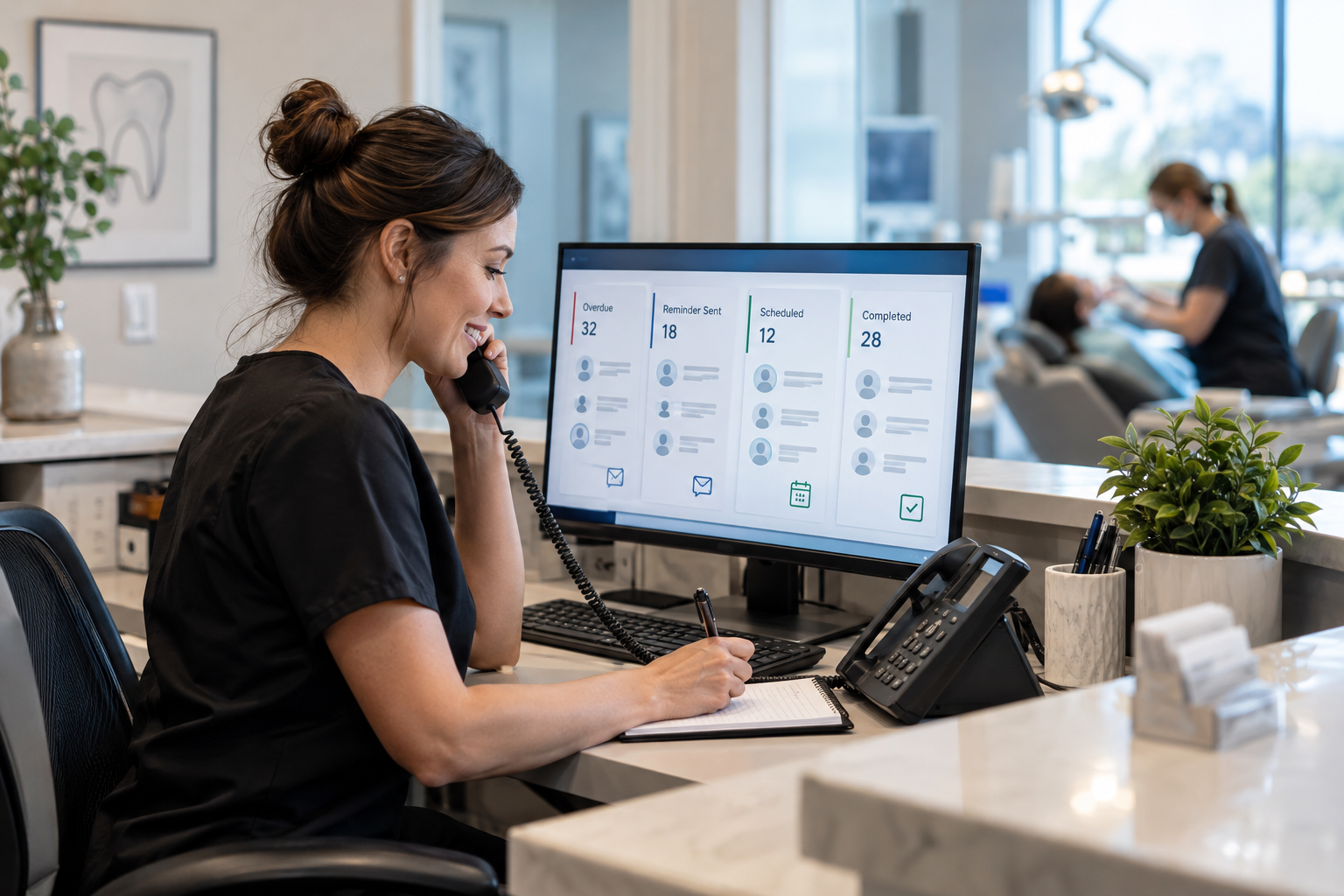
Patients rarely decide that preventive dental care no longer matters. More often, they get busy, forget to schedule, miss a reminder, or intend to call back later. Without a consistent follow-up process, those patients quietly become overdue.
Dental recall automation solves this problem by using CRM workflows to identify patients who are due, send timely messages, track responses, and help the front office convert overdue records into booked appointments. Instead of relying on spreadsheets or occasional call lists, a practice can create a repeatable retention system that operates every day.
What Is Dental Recall Automation?
Dental recall automation is a structured process that moves patients through follow-up stages based on their clinical recall date, appointment status, communication history, and response. A connected CRM can automatically enroll patients in the appropriate workflow, deliver reminders through approved channels, create staff tasks, and stop communication when an appointment is booked.
This is more advanced than sending a single six-month reminder. A complete workflow accounts for different patient situations, including:
- Patients approaching their next hygiene due date
- Patients who are due but have not scheduled
- Patients who are 30, 60, or 90 days overdue
- Periodontal maintenance patients on shorter intervals
- Patients who canceled and never rebooked
- Inactive patients who have not visited in a year or longer
- Patients who respond but need personal assistance from the team
When built as part of a broader CRM growth system, recall automation can connect patient communication, appointment tracking, task management, and performance reporting in one coordinated process.
Why Traditional Dental Patient Recall Falls Short
Many dental practices still manage recall through printed reports, individual phone calls, postcards, or one-off text messages. These methods can work, but they depend heavily on staff capacity and consistent manual execution.
A busy front desk may spend the day checking in patients, answering insurance questions, managing schedule changes, and responding to calls. Recall follow-up gets pushed to the next day, then the next week. By the time someone works the overdue list, hundreds of patients may require attention.
Common weaknesses in a manual dental patient recall process include:
- Inconsistent timing: Patients may receive one reminder but no structured follow-up.
- No prioritization: A patient who is seven days overdue may be treated the same as someone who has been inactive for two years.
- Disconnected communication: Calls, texts, emails, and appointment notes may live in separate systems.
- Slow response handling: A patient may reply with a scheduling question but wait too long for an answer.
- Poor visibility: The practice cannot easily see which messages or workflow stages are producing appointments.
Automation does not eliminate the need for the front office. It reduces repetitive work so staff can focus on conversations that require empathy, judgment, or scheduling expertise.
How a Dentist CRM Automation Workflow Works
An effective dentist CRM automation workflow begins with clean data and clear rules. The CRM needs to know when a patient is due, whether an appointment already exists, how the patient can be contacted, and what should happen after each response.
1. Segment Patients by Recall Status
A practice should avoid sending the same message to every overdue patient. Segments can be created by procedure type, recall interval, overdue period, patient status, provider, location, or previous response.
For example, a periodontal maintenance patient who is two weeks overdue needs different language and urgency than a routine hygiene patient who has not visited in 18 months. Segmentation makes the communication more relevant while helping the practice prioritize higher-value or clinically time-sensitive follow-up.
2. Start Before the Patient Becomes Overdue
The best recall workflow begins before the due date. A patient might receive an email or text explaining that it is time to reserve the next preventive visit. If the patient schedules, the CRM removes that person from the unscheduled recall sequence and transitions them to standard dental appointment reminders.
If no appointment is booked, the workflow can continue at reasonable intervals. Each message should provide a clear next step, such as replying to the text, calling the office, or using an approved online scheduling option.
3. Use Multiple Follow-Up Channels
Patients have different communication preferences. Some answer texts immediately, while others respond to email or prefer a phone call. A coordinated workflow can use multiple channels without overwhelming the patient.
A typical sequence might include a friendly text before the due date, an email with additional context, a second text after the patient becomes overdue, and a staff call task if there is still no response. Practices should configure every sequence according to patient consent, applicable privacy requirements, and their communication policies.
4. Create Conditional Actions Based on Behavior
Strong workflows respond to patient behavior instead of sending messages blindly. If a patient replies, clicks a scheduling link, requests a call, or books an appointment, the CRM should update the record and trigger the correct next action.
This type of conditional logic is central to done-for-you AI marketing automation. It can route interested patients to staff, pause messages when human assistance is needed, and prevent booked patients from continuing to receive recall prompts.
5. Escalate the Right Patients to Staff
Not every patient should remain in an automated sequence. The CRM can create a call task when someone asks about insurance, mentions dental anxiety, needs family scheduling, or has not responded after several attempts.
The staff member then sees the relevant history before calling. This creates a more informed conversation than working from a static list with no record of recent messages.
Example Dental Reactivation Campaign
Consider a general dental practice with a group of patients who are 90 to 180 days overdue for hygiene visits. The practice could build a dental reactivation campaign with the following stages:
- Record review: Exclude patients who are already scheduled, have transferred, requested no contact, or require clinical review before outreach.
- Initial text: Send a brief, personalized message explaining that the patient is overdue and inviting a reply to schedule.
- Supporting email: Follow with a helpful email about maintaining preventive care and provide contact options.
- Response routing: Notify the scheduling team when a patient replies or requests assistance.
- Second follow-up: Send a polite reminder if there has been no response after an appropriate interval.
- Manual task: Assign higher-priority patients to a team member for a personal call.
- Exit rule: Remove the patient immediately when an appointment is booked, contact permission changes, or the record is marked inactive.
The language should sound like the practice, not like a generic promotion. A useful message is clear, warm, and specific: the patient is due, the office can help, and replying is easy. Aggressive urgency or repeated discount offers can undermine trust.
Connecting Recall Workflows With Calls and Appointment Handling
Recall outreach can create more inbound calls, which is helpful only if the practice can answer and route them. A patient who receives a reminder may call during lunch, after work, or while the front desk is assisting another patient.
Practices that struggle with missed calls can connect CRM follow-up with an AI voice agent for appointment handling. Depending on the practice’s systems and policies, the agent can answer common questions, collect caller information, identify scheduling intent, and route requests for staff follow-up. Human escalation remains important for clinical questions, insurance details, complaints, or complex scheduling situations.
Metrics That Show Whether Recall Automation Is Working
Message delivery alone does not show business impact. Dental practices should measure the movement from outreach to conversation to appointment.
- Patients entering each recall or reactivation segment
- Successful text and email delivery rates
- Patient reply rates by workflow stage
- Scheduling requests generated
- Appointments booked from recall outreach
- Time from first outreach to booking
- Opt-outs, wrong numbers, and invalid email addresses
- Appointments completed, canceled, or missed after reactivation
These measures help the practice identify data problems, weak messages, slow staff response, or workflow steps that create unnecessary friction. Return on investment should be evaluated against software costs, implementation resources, staff time saved, recovered appointments, and the long-term value of retaining active patients.
Common Dental Recall Automation Mistakes
Automation can scale a good process, but it can also scale a poor one. Avoid launching a workflow before addressing these common mistakes:
- Using inaccurate recall dates: Incorrect data produces irrelevant messages and patient frustration.
- Failing to suppress booked patients: Every workflow needs reliable appointment-based exit rules.
- Overcommunicating: Too many messages can feel intrusive and increase opt-outs.
- Ignoring consent and privacy: Communication methods and message content must reflect applicable requirements and patient preferences.
- Mixing recall with unscheduled treatment: Preventive recall and incomplete treatment plans usually need separate messaging, timing, and staff handling.
- Leaving replies unattended: Automation creates opportunities, but the practice still needs an owner for incoming responses.
- Skipping testing: Test every trigger, delay, branch, notification, and exit condition before activating the workflow.
How to Implement Dental Recall Automation
- Document the current process. List how the practice identifies due patients, contacts them, records responses, and confirms appointments.
- Clean and map the data. Verify recall dates, patient status, mobile numbers, email addresses, consent records, and scheduled appointments.
- Define segments. Separate upcoming, recently due, significantly overdue, periodontal maintenance, canceled, and inactive patients.
- Write patient-friendly messages. Use the practice’s tone and give each message one clear action.
- Build triggers and exit rules. Determine exactly when patients enter, move through, pause, and leave each workflow.
- Assign staff ownership. Decide who manages replies, failed delivery, call tasks, and exceptional cases.
- Run a controlled pilot. Start with one segment, review the results, and resolve process gaps before expanding.
- Optimize monthly. Evaluate booking outcomes, response times, opt-outs, and data quality rather than simply increasing message volume.
The Digital Success builds done-for-you CRM and marketing automation systems around the actual patient journey. That includes workflow planning, segmentation, follow-up logic, appointment handoffs, and reporting so dental teams can operate a consistent recall process without adding another disconnected tool.
Frequently Asked Questions
Does dental recall automation replace front-office staff?
No. It handles repetitive identification, reminders, routing, and task creation. Staff members remain essential for complex scheduling, clinical questions, insurance conversations, and relationship-building.
Can recall automation work with existing dental software?
Possibly. Integration options depend on the practice management platform, CRM, available APIs, and data access. The workflow should be planned around what can be synchronized accurately and securely.
How often should an overdue patient be contacted?
There is no universal sequence for every practice. Timing should reflect the recall category, patient consent, communication channel, prior engagement, and office policy. The goal is consistent follow-up without excessive messaging.
What is the difference between recall and reactivation?
Recall typically focuses on patients approaching or passing a recommended continuing-care date. Reactivation usually targets patients who have been inactive for a longer period or fell out of the normal recall cycle.
Where should a practice start?
Start with one well-defined segment, such as routine hygiene patients who are 30 to 90 days overdue. Confirm the underlying data, create a short workflow, assign response ownership, and test every exit rule before expanding.
Leave a Reply