A potential customer calls after your office closes. They need an HVAC repair, want to schedule a dental appointment, or have an urgent question for a law firm. If nobody answers, that caller may contact the next business on the list.
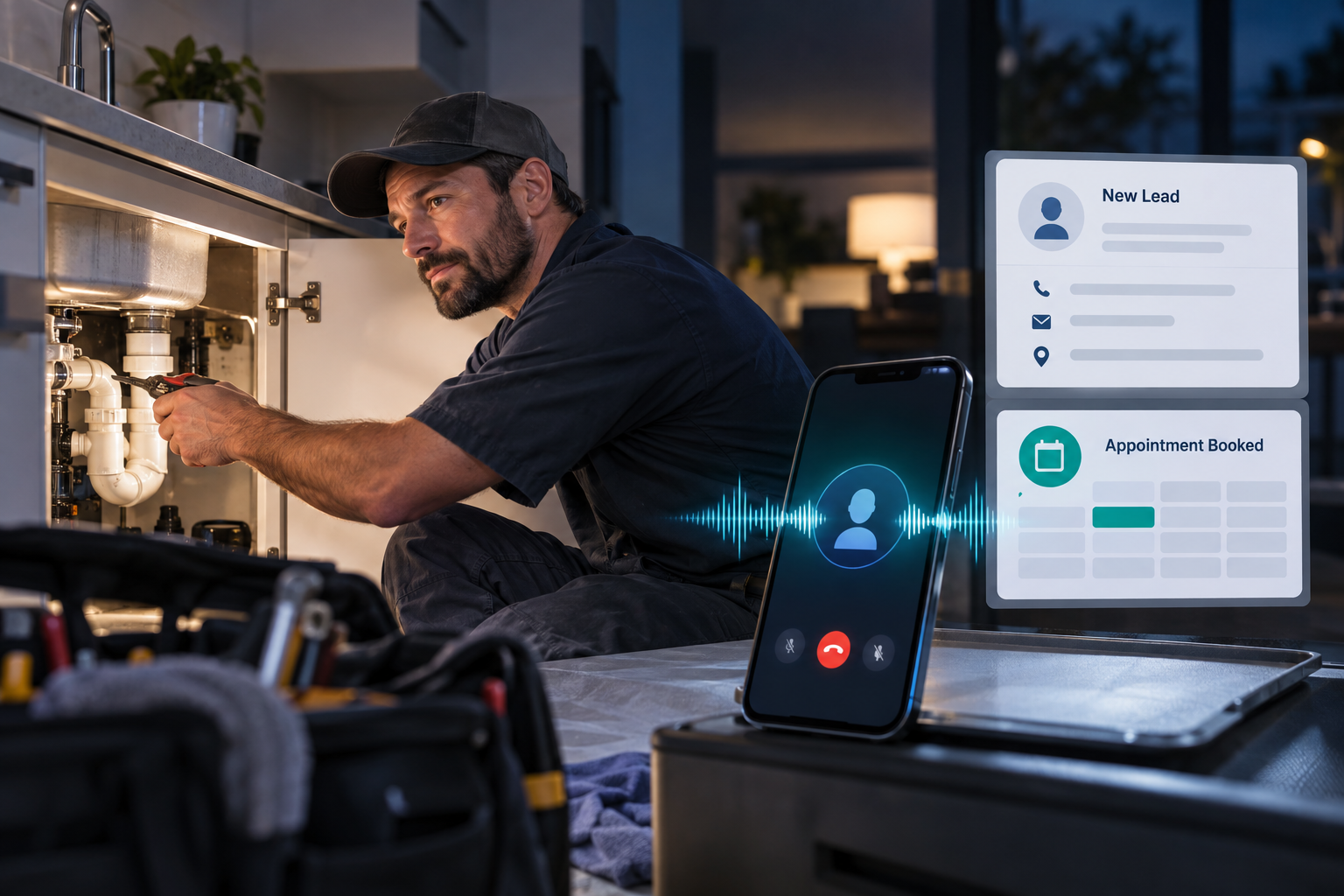
An AI after hours answering service gives small businesses a practical way to respond without asking employees to monitor phones all night. The right system can answer common questions, collect lead information, qualify the request, book appointments, and escalate urgent calls to an on-call team member.
It is not simply voicemail with a synthetic voice. Properly implemented, it becomes an extension of your lead-response and customer-service workflow.
Why After-Hours Calls Deserve More Than Voicemail
Many callers do not leave detailed voicemails. Even when they do, the message may be missing the information your team needs to respond efficiently. A staff member must listen to it, enter the contact into the CRM, return the call, ask qualifying questions, and then attempt to schedule the next step.
An after hours AI receptionist can complete much of that process during the first conversation. It can respond using business-specific information instead of giving every caller the same generic message.
This matters for companies that receive time-sensitive or high-intent calls, including:
- HVAC, plumbing, electrical, roofing, and other home service companies
- Dental practices and Medspas receiving appointment inquiries
- Law firms screening prospective clients
- Marketing agencies qualifying new-business inquiries
- Small businesses that lack a full-time night or weekend receptionist
Businesses exploring this approach can review dedicated AI receptionist and voice agent solutions designed around call handling, lead response, and appointment workflows.
How an AI After Hours Answering Service Works
A strong implementation follows a defined workflow rather than improvising every conversation. The exact steps depend on the business, but a typical inbound call may work like this:
- Answer with an approved greeting. The AI identifies the business and explains how it can help.
- Determine the reason for the call. It asks whether the caller needs service, wants an appointment, has a billing question, or is calling about an existing job.
- Collect essential details. This may include the caller’s name, phone number, email address, service location, preferred appointment time, and a description of the issue.
- Apply qualification rules. The system can confirm service area, job type, office location, or whether the request meets the firm’s intake criteria.
- Book or route the next step. Depending on the request, it can schedule an appointment, create a callback task, send a notification, or transfer the caller.
- Update connected systems. The call outcome and lead details can be recorded in a CRM so the morning team has usable information.
- Send confirmation. The caller may receive a text or email summarizing the appointment or expected follow-up.
The goal is not to make every call longer. It is to complete the most valuable next action while the prospect is still engaged.
Practical After-Hours Call Automation Examples
Home service emergency screening
A homeowner calls a plumbing company at 10:30 p.m. about a leaking pipe. The AI asks whether water is actively flowing, confirms the address and service area, collects contact details, and follows the company’s approved emergency instructions. If the situation meets escalation criteria, the system alerts or transfers the call to the on-call technician.
The AI should not diagnose dangerous conditions or promise an arrival time it cannot verify. Its role is to gather facts and trigger the correct workflow.
Dental or aesthetic appointment requests
A prospective patient calls after seeing an advertisement. AI phone answering after hours can explain available appointment categories, collect basic contact information, and offer approved openings from a connected calendar. Questions requiring clinical judgment should be routed to a qualified team member rather than answered by the AI.
Law firm intake
A caller seeking legal help may be anxious and unwilling to wait until morning. An AI voice agent can collect the practice area, location, relevant dates, opposing-party information, and preferred callback time. It should avoid giving legal advice or suggesting that an attorney-client relationship has been established.
Features to Look for in a 24/7 AI Answering Service
Voice quality matters, but it is only one part of the buying decision. A commercially useful system should support the operational work that happens after the call.
- Custom call flows: Questions, responses, and routing rules should reflect your services and policies.
- Calendar integration: The agent should only offer valid appointment types and available times.
- CRM updates: New leads and conversation outcomes should reach the system your staff already uses.
- Escalation rules: Define when to transfer, send an urgent alert, or schedule a normal callback.
- Call summaries: Staff should receive concise, actionable notes instead of reviewing every recording.
- Fallback handling: The AI needs a safe response when it cannot understand a caller or answer a question.
- Reporting: Track call reasons, booking outcomes, transfers, and unresolved requests.
A broader done-for-you AI marketing automation approach can also connect the phone conversation with follow-up texts, emails, pipeline stages, reminders, and sales tasks.
How to Evaluate the Potential Return
Do not evaluate an AI answering system only by its monthly cost. Compare it with the value of the operational gaps it may address.
Start by reviewing after-hours call volume, how many callers currently leave voicemails, staff time spent returning calls, and the approximate value of a qualified appointment. You can then compare those figures with implementation, software, usage, and ongoing optimization costs.
Useful performance indicators include:
- Percentage of calls answered successfully
- Qualified leads created
- Appointments booked or requested
- Calls transferred to an on-call employee
- Incomplete conversations requiring review
- Average staff follow-up time
- Opt-outs, complaints, or inaccurate responses
The objective is not to claim that every answered call becomes revenue. It is to create more consistent opportunities for qualified callers to take the next step.
Implementation Plan for AI Phone Answering After Hours
1. Audit recent calls
Review call recordings, voicemail messages, and staff notes. Identify common questions, caller objections, urgent situations, and information employees repeatedly collect.
2. Define what the AI may and may not do
Document approved services, business hours, service areas, appointment types, escalation triggers, and prohibited statements. Regulated or safety-sensitive businesses should involve appropriate legal, privacy, or compliance professionals.
3. Build separate call paths
A new sales lead should not follow the same script as an existing customer with a billing question. Create focused paths for new inquiries, scheduling, emergencies, current customers, and unsupported requests.
4. Connect the operating systems
Integrate the phone workflow with your CRM, calendar, notifications, and follow-up tools. This is where a done-for-you growth and automation system can be more useful than a disconnected answering application.
5. Test realistic scenarios
Test callers who interrupt, speak unclearly, change topics, request unavailable services, or provide incomplete information. Confirm that transfers, bookings, summaries, and CRM updates work correctly.
6. Launch with monitoring
Begin with a controlled call window or limited set of call types. Review outcomes frequently, correct weak responses, and expand only after the workflow performs reliably.
Common Mistakes to Avoid
- Using a generic script: Callers need accurate answers based on your actual business rules.
- Automating without escalation: Some calls require a human, especially emergencies, complaints, and sensitive questions.
- Letting the calendar create bad bookings: Appointment duration, location, technician availability, and service type must be configured correctly.
- Ignoring disclosure and recording rules: Call-recording consent and AI disclosure requirements can vary. Obtain professional guidance for the states and industries in which you operate.
- Failing to maintain the knowledge base: Update hours, promotions, staff availability, services, and policies whenever they change.
If after-hours automation expands into outbound telemarketing or sales follow-up, the Federal Trade Commission’s Telemarketing Sales Rule is a useful compliance reference. Businesses should also review applicable federal, state, and industry-specific requirements with qualified counsel.
Turn After-Hours Calls Into Clear Next Steps
An AI answering service works best when it is built around the way your company already sells, schedules, and serves customers. The technology should reduce friction for callers while giving employees cleaner information and fewer manual tasks.
The Digital Success helps businesses design AI voice agents, CRM workflows, marketing automation, and lead follow-up systems as one connected process. The result is not merely a phone that answers at night, but a structured path from first conversation to the appropriate next action.
Frequently Asked Questions
Can an AI receptionist answer calls 24/7?
Yes. A properly configured system can answer nights, weekends, holidays, overflow calls, or all inbound calls. Human escalation should remain available for situations that require it.
Can it book appointments?
Yes, if it is connected to a compatible calendar and given clear rules for appointment types, availability, locations, and booking restrictions.
Will callers know they are speaking with AI?
The greeting and disclosure process should follow applicable laws and your business policies. Clear, honest communication can also help set appropriate expectations.
Does an AI answering service replace an on-call employee?
Not necessarily. It can screen and document calls before involving the employee, but urgent, technical, clinical, or legally sensitive situations may still require qualified human judgment.
Leave a Reply