
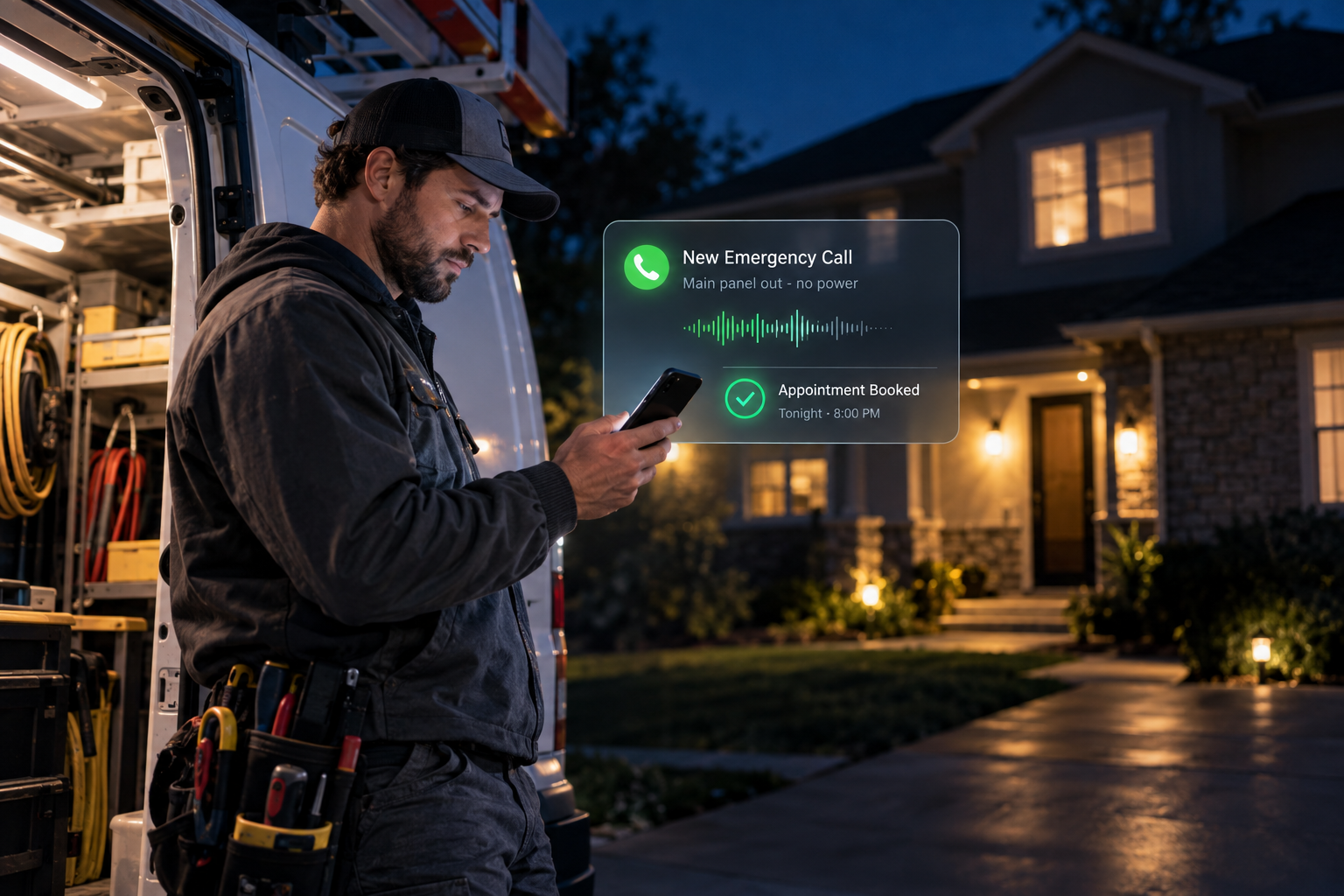
An electrical emergency rarely waits for office hours. Homeowners may call at night about a burning smell, a sparking panel, a partial power outage, or an EV charger that suddenly stopped working. If no one answers, many callers simply move to the next electrician.
After hours call automation for electricians gives electrical contractors a practical alternative to staffing a call center. A properly configured AI voice agent can answer immediately, identify urgent situations, collect job details, schedule eligible appointments, and notify an on-call technician. The goal is not to replace a licensed electrician’s judgment. It is to make sure qualified opportunities do not disappear into voicemail.
Why After-Hours Calls Are Difficult for Electrical Contractors
Emergency electrician calls create a different operational challenge than ordinary estimate requests. The caller may be stressed, unable to explain the issue clearly, or unsure whether the situation is dangerous. Meanwhile, the technician answering the phone may be driving, working at a job site, or trying to determine whether the call justifies an immediate dispatch.
Traditional voicemail does little to organize this information. It may capture a name and fragmented description, but it cannot ask follow-up questions, verify the service address, or explain what happens next. Live answering services can help, but generic operators may not follow an electrician-specific qualification process.
An electrician AI voice agent can provide a consistent first response without pretending to diagnose an electrical problem. It can gather the facts your team needs while following safety and escalation rules approved by your business.
How After Hours Call Automation for Electricians Works
Electrical call automation begins when a customer calls your main business number outside your normal schedule. Calls can be routed to the automated agent immediately or only after the line rings without an answer. The agent introduces the business, asks how it can help, and follows a workflow based on the caller’s responses.
A typical conversation may include the following steps:
- Identify the request. The agent determines whether the caller has an urgent problem, wants a repair appointment, needs an estimate, or is calling about an existing job.
- Screen for immediate danger. If the caller reports fire, smoke, an active electrical injury, or a downed power line, the agent delivers your approved safety message. This may include ending the call and contacting 911 or the local utility when appropriate. It should not provide do-it-yourself electrical instructions.
- Collect essential details. The agent records the caller’s name, phone number, address, property type, issue description, and preferred timing.
- Check service eligibility. It can confirm whether the property is in your service area and whether your company handles the requested type of work.
- Schedule or escalate. Routine requests can be placed on an available calendar. Qualified emergencies can trigger a notification or transfer based on your on-call policy.
- Document the call. The call summary and lead information can be sent to your CRM, dispatcher, or designated team member.
Purpose-built AI voice agent solutions can connect this front-end conversation to booking, lead routing, and follow-up workflows instead of operating as an isolated answering tool.
A Practical Emergency Call Workflow
Consider a homeowner who calls at 10:30 p.m. and says half the house has lost power. The agent can ask whether there is smoke, fire, sparking, an electrical injury, or a downed line. If the caller reports an immediate hazard, the system follows the contractor’s emergency safety script rather than attempting troubleshooting.
If no immediate hazard is reported, the agent can collect the address, ask whether the outage affects neighboring properties, note when the issue began, and confirm whether the caller wants emergency service. It can then check the ZIP code, explain any approved after-hours service expectations, and alert the on-call electrician with a concise summary.
The technician receives useful context before returning the call. The customer receives acknowledgment and clear next steps instead of wondering whether a voicemail was heard.
Calls an Electrician AI Voice Agent Can Handle
A well-designed system should use separate pathways for different call types. Common workflows include:
- Breaker trips, partial outages, sparking fixtures, and unusual burning odors
- Commercial power issues requiring an on-call response
- Routine outlet, lighting, panel, generator, or EV charger appointments
- Requests for rewiring, service upgrades, inspections, or estimates
- Calls from tenants, property managers, and general contractors
- Existing customers asking about arrival times or scheduled work
- Vendors, job applicants, and unrelated callers who should not reach the emergency technician
This separation protects the on-call electrician from low-priority interruptions while giving real customers a responsive experience.
What to Look for in Electrician After-Hours Answering
The quality of the workflow matters more than simply having a voice that answers. Before choosing a system, evaluate whether it can:
- Answer naturally using your company name and approved language
- Recognize urgent terms without making a technical diagnosis
- Follow different rules by time, location, call type, or service offered
- Transfer calls or send alerts to the correct on-call technician
- Integrate with your calendar, CRM, and customer follow-up process
- Handle interruptions, unclear answers, and requests for a human
- Provide call recordings, transcripts, summaries, and outcome tracking
- Disclose that the caller is interacting with an automated system when required
Call handling becomes more valuable when it feeds a connected CRM growth system. That connection allows the business to track the lead, assign ownership, send confirmations, and continue follow-up after the initial conversation.
How to Implement Electrical Call Automation
1. Map your actual call categories
Review the types of calls your company receives after hours. Separate immediate hazards, paid emergency service, routine scheduling, existing-job questions, and calls you do not service. Avoid building one generic script for every situation.
2. Define escalation rules
Decide exactly when the agent should transfer a call, send a text alert, create a high-priority CRM task, or schedule the next available appointment. Include backup rules for situations in which the primary on-call technician does not respond.
3. Create approved safety language
Work with your leadership and legal or insurance advisers as appropriate. The agent should never tell a homeowner to open a panel, touch damaged equipment, or attempt a repair. Scripts should clearly direct callers to emergency services or the utility when the reported circumstances call for it.
4. Connect calendars and lead records
Give the system access only to the calendars, appointment types, and data fields it needs. Determine whether emergency jobs are booked directly or submitted as requests pending technician confirmation.
5. Test realistic conversations
Run tests involving noisy callers, vague descriptions, repeat callers, out-of-area requests, renters without authorization, commercial properties, and callers demanding a human. Test transfers and notifications outside normal business hours, not just during setup meetings.
6. Review and improve
Monitor call outcomes, incorrect routing, unanswered questions, booked appointments, and technician feedback. Update the workflow as services, staff schedules, and service areas change. Broader done-for-you AI marketing automation can also connect answered calls with estimate reminders, missed-opportunity follow-up, and longer-term customer communication.
Common Mistakes to Avoid
One mistake is allowing the agent to sound like an electrician or provide technical advice. Its role is intake, safety escalation, scheduling, and routing. Another is treating every call as an emergency. Without clear qualification rules, technicians may receive unnecessary late-night alerts.
Businesses should also avoid collecting information without creating a next action. Every qualified call needs an owner, status, and follow-up deadline. Finally, do not launch without reviewing consent, recording, texting, and automated communication requirements. For an authoritative compliance starting point, review the Federal Communications Commission’s telemarketing and robocall guidance, along with applicable state laws and professional advice.
Evaluating the Business Value
Do not judge electrician after hours answering only by the number of calls received. Track how many calls are legitimate service opportunities, how many are scheduled or escalated correctly, how quickly the team responds, and how many require manual correction.
Compare those outcomes with your current process, including missed voicemails, technician interruptions, answering-service costs, and lost leads. The right system should reduce friction and improve consistency without creating unsafe advice or unnecessary dispatches.
Build an After-Hours System Around Your Electrical Business
Effective automation is not a generic script added to a phone line. It should reflect your service area, emergency policy, job types, schedule, team structure, and customer experience. The Digital Success builds AI voice and automation workflows that connect call handling with scheduling, CRM records, routing, and follow-up.
If your electrical company needs to capture after-hours opportunities without operating a call center, start by mapping your current call flow and identifying where qualified customers are being lost.
Frequently Asked Questions
Can an AI voice agent determine whether an electrical issue is dangerous?
It can recognize predefined warning signs and follow an approved escalation script, but it should not diagnose the problem. Reports involving fire, injury, smoke, or downed lines should trigger appropriate emergency guidance.
Can the system transfer emergency electrician calls to a technician?
Yes. Transfers and alerts can follow schedules, service areas, job types, and backup rules. The exact process should match how your company manages on-call coverage.
Will callers know they are speaking with automation?
The greeting can clearly disclose that the caller is speaking with an automated assistant. Transparent language helps set expectations and may support compliance requirements.
Can it book non-emergency electrical appointments?
Yes. Routine calls can be scheduled into approved appointment slots or submitted as requests for office confirmation. This allows one system to support both urgent intake and normal lead capture.
Leave a Reply