
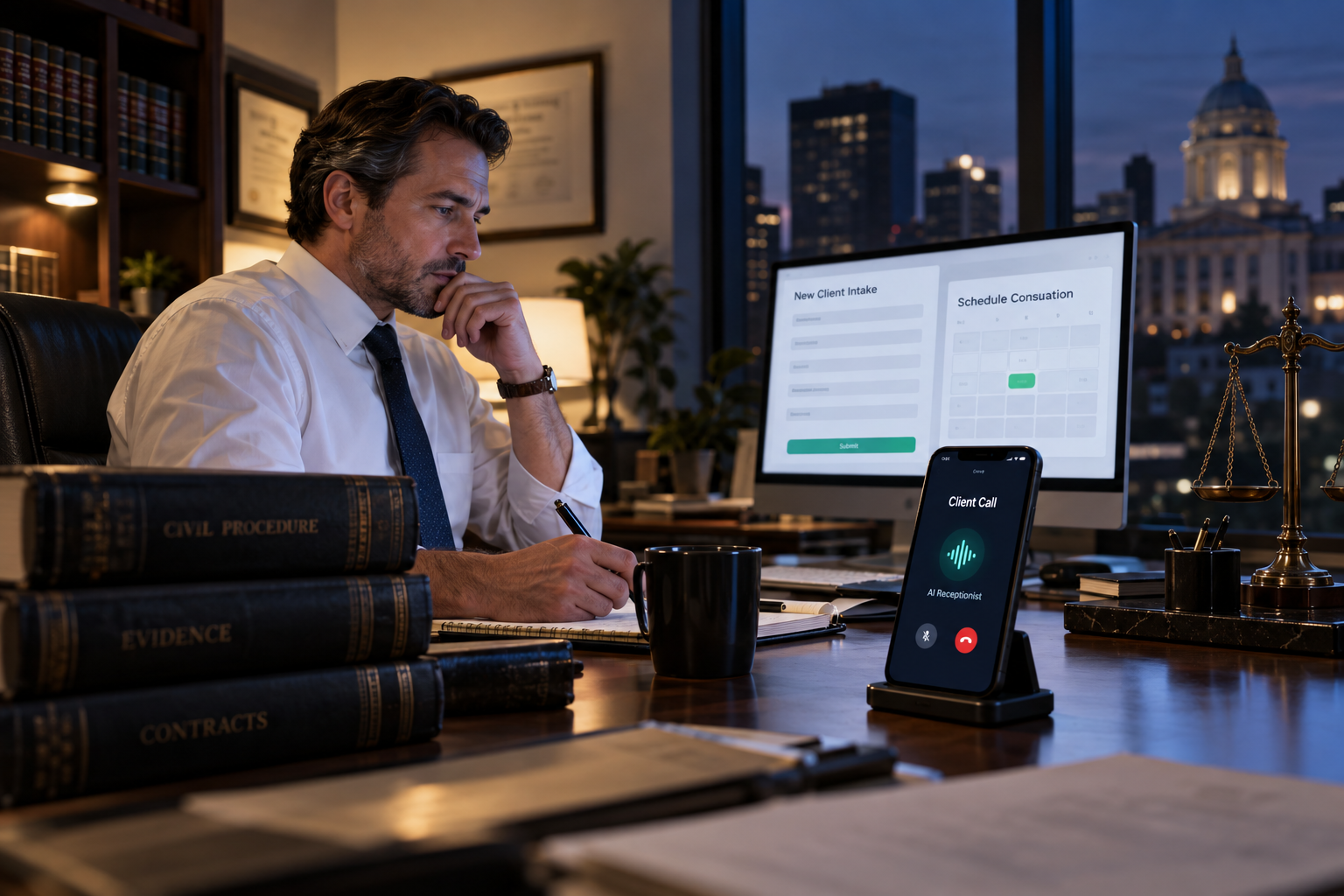
A potential client may call your law firm at 8:30 p.m., during lunch, or while your staff is already helping someone else. If the call goes to voicemail, that person may contact the next attorney in the search results instead of waiting for a callback.
An after hours AI receptionist for law firms gives callers an immediate, professional response when your team is unavailable. It can answer common questions, collect structured intake information, route urgent matters, and schedule consultations according to your rules. The goal is not to replace attorneys or provide legal advice. It is to make sure promising inquiries do not disappear simply because they arrived outside business hours.
Why After-Hours Calls Matter for Law Firms
People rarely plan to need a lawyer. Arrests, accidents, employment disputes, family conflicts, and urgent business problems can happen at any hour. Even less urgent prospects may research attorneys in the evening, after work, when they finally have time to make calls.
Traditional voicemail creates friction at the most important point in the client journey. The caller must leave a message without knowing when someone will respond, whether the firm handles the issue, or what information to provide. Staff must then listen to the recording, return the call, repeat basic questions, and attempt to find a consultation time.
A law firm AI voice agent can shorten that process by holding a natural conversation and completing the first stage of intake immediately. It provides consistent coverage without requiring every after-hours call to interrupt an attorney or employee.
How an After Hours AI Receptionist for Law Firms Works
A properly configured system follows a defined workflow created around the firm’s practice areas, intake policies, calendar, and escalation requirements. A typical after-hours legal intake conversation may include the following steps:
- Answer with an approved greeting. The receptionist identifies the firm and, when appropriate, explains that the caller is speaking with an automated assistant.
- Identify the reason for the call. It asks whether the caller needs a new consultation, has an existing matter, wants office information, or needs to leave a message.
- Collect essential details. Depending on the practice area, this may include contact information, incident type, location, relevant dates, opposing parties, and a brief description of the matter.
- Apply qualification rules. The system can determine whether the inquiry falls within the firm’s geographic and practice-area criteria without judging the legal merits of the case.
- Run a preliminary conflict-information workflow. It can collect names needed for later conflict review while clearly avoiding any statement that the firm has accepted representation.
- Schedule or route the next step. Qualified callers may be offered an available consultation, while urgent or sensitive matters can be transferred to an approved on-call number.
- Update the firm’s systems. Call summaries and intake fields can be sent to a CRM, case-management platform, email inbox, or staff notification workflow.
The exact workflow should vary by practice area. A criminal defense firm may prioritize custody status and upcoming court dates. A personal injury firm may ask when and where an incident occurred. A family law practice may need the names of spouses or other parties before allowing consultation scheduling.
Practical 24/7 Legal Answering Use Cases
New-client consultation requests
A caller who found the firm through search or an advertisement can explain the general issue, answer approved screening questions, and request a consultation without waiting until the next morning. Calendar rules can prevent double booking and limit appointments to the correct attorney or case type.
Urgent call escalation
Not every late-night call should wake an attorney. The AI receptionist can use specific escalation criteria, such as an arrest, a time-sensitive hearing, or another situation designated by the firm. Calls that do not match those rules can be documented for next-business-day follow-up.
Existing-client messages
Existing clients may call for updates or to share documents and developments. The receptionist can verify basic information, collect a message, and notify the assigned team without exposing confidential case details or attempting to answer substantive legal questions.
Frequently asked administrative questions
Approved responses can cover office hours, locations, consultation procedures, accepted case categories, parking information, and what a caller should bring to an appointment. Questions requiring interpretation or advice should be routed to a qualified person.
Capabilities to Look for in Lawyer Call Answering AI
Legal intake requires more control than a generic answering bot. When evaluating a system, focus on operational fit, caller experience, and safeguards.
- Custom conversation paths: Scripts and questions should reflect the firm’s actual practice areas rather than a one-size-fits-all template.
- Calendar integration: The receptionist should schedule only within approved hours, appointment types, attorney availability, and buffer rules.
- CRM or case-management handoff: Structured records are more useful than disconnected recordings or unorganized email notifications.
- Human transfer options: Callers should be routed to staff or an on-call attorney when defined conditions are met.
- Clear boundaries: The system must not offer legal advice, predict results, quote unapproved fees, or imply that an attorney-client relationship exists.
- Call summaries and review: Staff should be able to review what happened, correct inaccurate data, and refine the workflow over time.
- Language and accessibility planning: Firms should define which languages are supported and provide alternative contact paths when the system cannot serve a caller effectively.
- Security and retention controls: Ask how recordings, transcripts, and personal information are stored, accessed, retained, and deleted.
The voice agent should also connect to the broader lead-management process. A strong CRM growth system can assign the inquiry, trigger an internal task, send approved appointment reminders, and show whether the consultation ultimately occurred.
Evaluating the Potential Return
The value of after-hours legal intake is not measured only by the number of calls answered. Firms should examine whether the system helps the team respond faster, collect better information, schedule more appropriate consultations, and spend less time on repetitive administrative work.
Start by tracking a practical baseline: after-hours call volume, voicemail abandonment, callback delays, consultation bookings, no-shows, unqualified inquiries, and staff time spent on initial screening. After implementation, compare the same measures while reviewing call quality and intake accuracy.
Results will depend on call volume, practice area, lead quality, availability, and the quality of the workflow. An AI receptionist cannot fix weak demand, unclear qualification standards, or a consultation calendar with no near-term openings. It is most effective when it is part of a complete intake and follow-up process.
How to Implement After-Hours Legal Intake
- Map current call scenarios. Review why prospects and clients call, which questions staff ask, and where calls commonly stall or require escalation.
- Define the receptionist’s scope. Decide whether it will handle only new leads or also existing-client messages, appointment changes, FAQs, and overflow calls.
- Document qualification criteria. Specify supported practice areas, jurisdictions, incident dates, party information, and disqualifying conditions. Keep screening objective and avoid legal conclusions.
- Create escalation rules. Identify what counts as urgent, who receives the transfer, what happens when that person does not answer, and when callers should be directed to emergency services.
- Write compliant language. Include disclosures and disclaimers reviewed for the firm’s jurisdiction, professional obligations, privacy practices, and call-recording laws.
- Connect calendars and systems. Configure appointment types, routing, ownership, notifications, and follow-up steps. Broader done-for-you AI marketing automation can help connect calls with lead nurturing and staff workflows rather than leaving intake data in a silo.
- Test realistic conversations. Test cooperative callers, background noise, unclear answers, unsupported languages, emotional callers, repeat callers, conflicts, and requests for legal advice.
- Launch with review checkpoints. Monitor transcripts, summaries, booking accuracy, and escalations closely. Update prompts and workflows as the firm learns from real calls.
Common Mistakes to Avoid
The biggest mistake is treating setup as a simple script-writing exercise. Legal calls can involve urgency, distress, sensitive information, and professional-responsibility considerations. The workflow needs clear boundaries and ongoing oversight.
Avoid collecting more information than the firm needs at the initial stage. Do not let the system make promises about representation or case outcomes. Firms should also avoid creating a frustrating dead end: if the AI cannot understand the caller or the caller requests a person, there should be a defined fallback.
Finally, do not automate intake without coordinating staff follow-up. A well-qualified lead still needs an owner, a response deadline, and a visible status. Automation should create accountability, not another inbox that employees must remember to check.
Build a More Responsive Law Firm Intake Process
An after-hours AI receptionist can help a law firm remain responsive without asking staff to monitor every call around the clock. The strongest systems combine natural call handling with customized qualification, safe escalation, consultation scheduling, CRM updates, and human oversight.
The Digital Success designs AI Voice Agent workflows around the way a firm actually handles inquiries. That includes intake mapping, custom call flows, system connections, testing, and optimization. The objective is a dependable front door for new consultations—not an unsupervised substitute for legal judgment.
Frequently Asked Questions
Can an AI receptionist provide legal advice?
No. It should answer only approved administrative questions, collect intake information, and route the caller. Legal analysis and advice must remain with appropriately qualified legal professionals.
Can it schedule consultations directly?
Yes, when connected to an approved calendar. The firm can control appointment types, attorney availability, buffers, qualification requirements, and whether certain matters require staff review before booking.
Will callers know they are speaking with AI?
Firms should use clear disclosure language appropriate to their policies and applicable rules. Transparency also helps set expectations about what the receptionist can and cannot do.
Can it transfer urgent calls to an attorney?
Yes. Transfers should follow specific conditions established by the firm, with a backup plan when the designated attorney or staff member is unavailable.
What information should the receptionist collect?
Collect only what is needed to evaluate and route the inquiry, such as the caller’s contact details, general matter type, relevant dates, jurisdiction, opposing-party names, and preferred consultation time. Requirements should be reviewed for each practice area.
Leave a Reply